Route globe
See every route on an interactive flight globe
Your travel story is geographic. YourFlights plots each logged flight on a responsive 3D globe so you can rotate the world, zoom into regions, and understand how your network grew over time. It is part flight route map, part personal atlas—built for exploration, not just decoration.
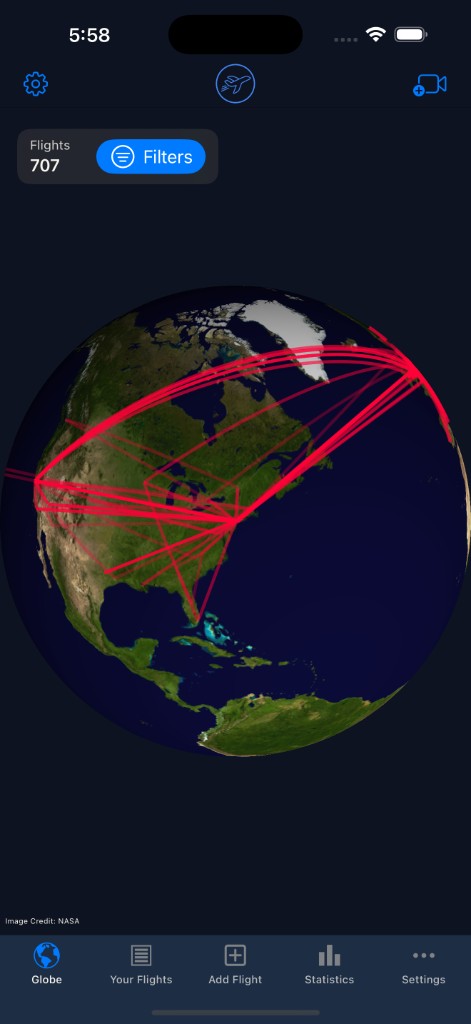
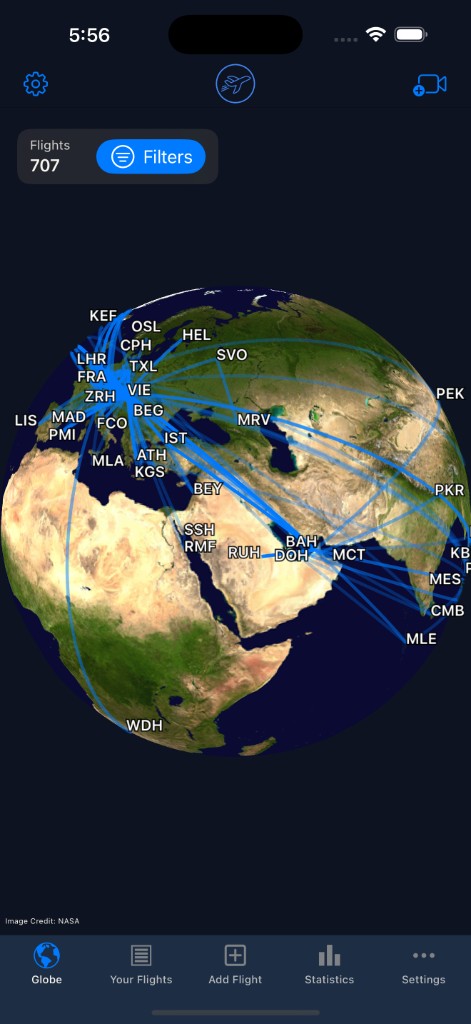
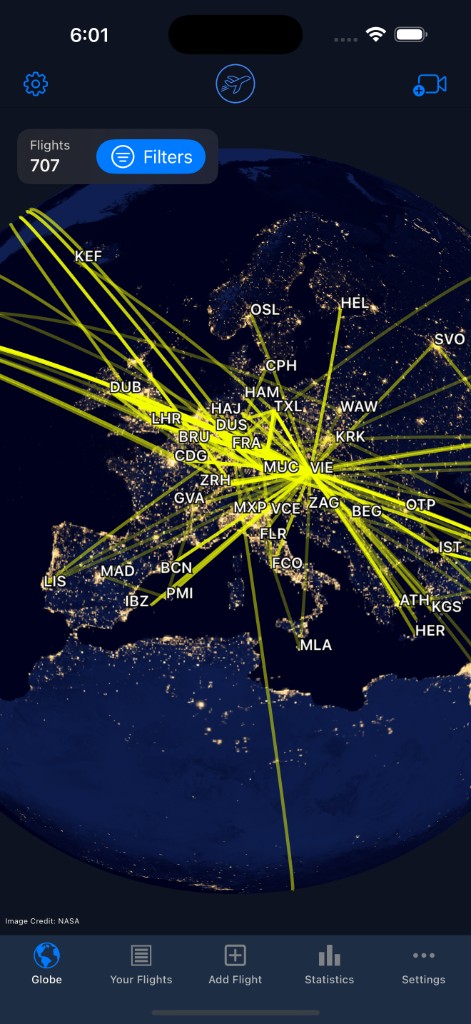
A flight route map you can explore
Tables and charts summarize trips numerically; a globe flight tracker shows the shape of your travel. YourFlights renders each logged leg as a route between airports on a 3D sphere you control with familiar orbit gestures—pan, zoom, and tilt until the view matches how you think about the world.
It is the visual counterpart to your flight logbook and complements travel statistics when you want to feel distance instead of only reading it.
Visual storytelling for your journeys
Routes cluster in ways numbers hide: hub-and-spoke patterns for one airline, dense European networks, or long transpacific arcs. Switch styles—including a night earth view—to emphasize different moods for screenshots or shareable flight videos generated from the same data.
Many members use the globe to answer spatial questions: Have I crossed the equator on this airline? Which continent have I visited least? Where did my first year of status runs concentrate? Exploration turns flight history into something you show friends, not just store.
Filtering and world exploration
Year filters
Isolate a single year to compare before-and-after a relocation or job change.
Airport focus
Zoom into regions and read airport labels to see local networks clearly.
Consistent data
Routes derive from the same airport database used when logging—reducing mismatched coordinates.
Web & app access
Open the globe on the marketing site or inside your account for a familiar experience.
From logging to visualization
The globe updates as you add flights—no separate GIS project required. Scan a boarding pass on the go, import a CSV batch from an old tracker, or edit a mislabeled airport in the logbook; routes refresh to match. If you are migrating years of data, see import flights before expecting a complete world picture.
Who loves a travel map globe?
Aviation geeks, mileage runners, and casual vacationers all use the same view for different reasons—some chase every new country dot, others reminisce about a honeymoon routing. Because the globe is personal, it reflects your choices, not airline marketing maps.
Frequently asked questions
What is the YourFlights route globe?
It is an interactive 3D globe that draws great-circle routes between airports for every flight in your logbook. You can rotate, zoom, and filter to explore personal route maps.
Can I filter which flights appear on the globe?
Yes. Filter by year and other logbook attributes so you can focus on a single season, airline, or era of travel.
Is the globe available on the web?
A public community globe is available on the website. It aggregates routes from every logged flight—regardless of each flight's visibility—and shows them anonymously (route geometry and year only, never the owner or per-flight details). Your own personal routes appear when you are signed in with flights logged to your account.
How is this different from flight tracking maps?
Live trackers show where a plane is right now. YourFlights visualizes where you have been over months and years—a travel map globe for your own history.
Do I need many flights before the globe looks good?
Even a few international trips create recognizable arcs. As your logbook grows, the globe becomes a richer story—especially when combined with import tools.
Light up your routes on the globe
Log or import your flights, sign in, and watch arcs connect the airports that shaped your story.

Free to start · Syncs with your account · Import-friendly
Explore related features
Flight logbook
Log airlines, routes, aircraft, cabins, and seats in a searchable personal archive.
Learn more →Travel statistics
Charts and metrics for distance flown, airports visited, aircraft types, and trends.
Learn more →Import flights
Bring existing history from CSV, OpenFlights, or another tracker without starting over.
Learn more →