Import & export
Import flights without rebuilding your history
Switching trackers should not mean losing years of trips. YourFlights supports CSV import for its own format and OpenFlights.org exports, plus tools to review issues before flights land in your logbook. Migrate flight history once, then explore stats and globe views immediately.
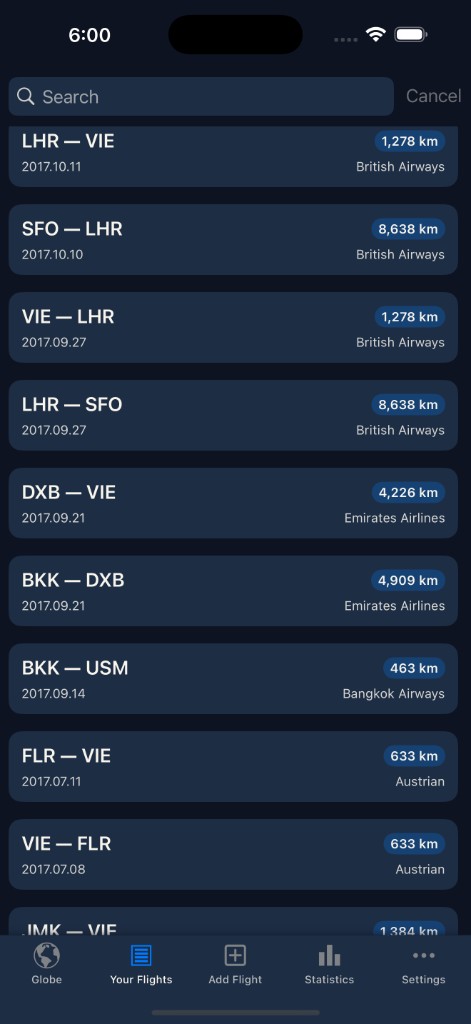
Migrate flight history without starting over
Changing apps should not mean retyping hundreds of legs. YourFlights treats import as a first-class workflow: upload a CSV flight import file, validate rows, and land flights in the same logbook that powers statistics and the globe. Data ownership stays with you—export anytime.
Whether you are leaving a spreadsheet, moving off OpenFlights, or consolidating tools after a phone upgrade, import gets you to insights faster.
Supported import paths
YourFlights CSV
Round-trip friendly format for backups and restores between your own accounts or devices.
OpenFlights import
Load classic OpenFlights.org exports so airport and airline codes map into the modern database where possible.
Batch review
Process uploads in batches with visibility into rows that need attention before they become permanent flights.
Web & iOS
Start an import from the web dashboard or continue in the iOS app—your account stays the source of truth.
A practical migration workflow
Successful migrations are boring—in a good way. Export from your old system, note the export date, and import into a test batch if you are nervous. Scan the issue list for unknown airports or odd dates, fix the source file or adjust rows, then confirm. Once flights are in, open travel statistics and the route globe to sanity-check totals against what you remember.
Cleanup pages in the app help remove duplicates or correct systematic mistakes—useful when merging a partial manual log with a full CSV dump.
Why portability matters
Your flight history is personal data. YourFlights does not hold it hostage: export in standard formats, keep local backups, and import again if you experiment elsewhere. Portability encourages honest logging—you are more likely to maintain a logbook when you know it can move with you.
After import: keep logging in one place
Import is a milestone, not the end. Add new trips via boarding pass scan, manual entry, or future exports from other tools. Each new flight enriches the same analytics pipeline—airline statistics, distance totals, and globe routes—without another migration project.
Frequently asked questions
Which formats can I import?
YourFlights supports CSV files in its native format and exports compatible with OpenFlights.org. Export uses the same formats so you can move data in both directions.
Is YourFlights an OpenFlights alternative?
Many members migrate from OpenFlights for a maintained iOS app, modern globe, and statistics. Import paths are designed to respect the work you already invested in another tool.
What happens if some rows fail validation?
The import workflow surfaces issues—such as unknown airport codes—so you can fix data before it enters your logbook instead of silently dropping flights.
Can I import on the web?
CSV import is available in the signed-in web app under flights import, with the same account sync as iOS.
Will importing duplicate flights I already logged?
Review batches after upload and use cleanup tools if you need to merge or remove duplicates. Starting from a clean export of your old tracker reduces overlap.
Bring your flights home to YourFlights
Sign in, open import, and upload your CSV. Minutes later your history is ready to explore on the globe and in charts.

Free to start · Syncs with your account · Import-friendly
Explore related features
Flight logbook
Log airlines, routes, aircraft, cabins, and seats in a searchable personal archive.
Learn more →Travel statistics
Charts and metrics for distance flown, airports visited, aircraft types, and trends.
Learn more →Route globe
Visualize every route on an interactive 3D globe with filters and exploration tools.
Learn more →